I uploaded my documents. What happens next?
After submitting your documents, our KYC team will review them.
What happens next?
1. We review the documents you provided.
2. You can track the progress in your Dashboard, Verification section
3. If additional information or documents are required, we'll contact you by email.
4. Once verification is completed, you can proceed with live account opening
Please check your inbox regularly, as all verification updates are sent there.
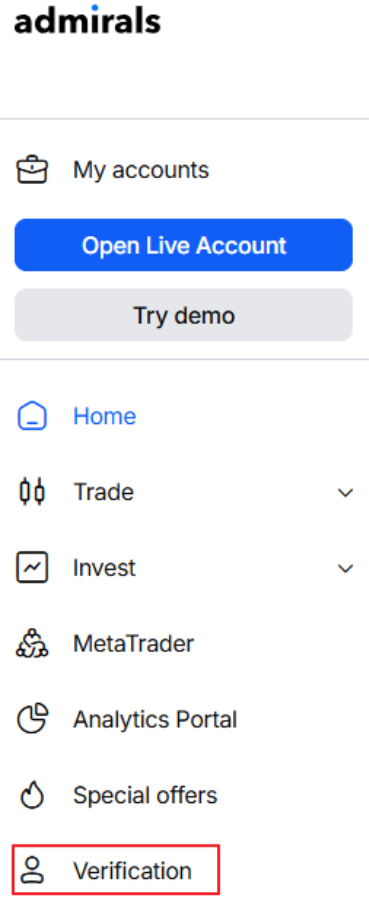
Check your verification status
You can monitor the progress of your verification in the Verification section of your Dashboard.
Status | What it means | What should I do? |
Pending | Your document is currently under review by our KYC team. | Please wait while we complete the review. |
Required | We require an additional document or more information to continue the verification process. | Please provide the missing information or requested document. Also, please check your email — we have already sent a message outlining exactly what information and documents are still required.
|
Verified | Your document has been successfully verified and accepted. | No further action is required. |
Declined | Unfortunately, we were unable to accept your document. | Please check your email for details about the issue and upload a new document that meets the requirements. |
Why is my verification still pending?
Verification may take longer if:
- additional checks are required;
- documents need manual review;
- additional information is needed.
If we require any additional information from you, we will contact you by email.
Please check your inbox regularly.
Why was my document rejected?
If a document is declined, we will send you an email explaining the reason.
Common reasons documents are rejected include:
Reason | Example |
Expired document | Passport, ID card, or residence permit has expired |
Poor image quality | The image is blurry, cropped, or difficult to read |
Information not visible | Important details are missing or unreadable |
Incorrect document type | A different document was uploaded |
Address requirements not met | The proof of address is not accepted or is too old |
Once you upload a replacement document, our team will review it again.
What documents are accepted?
The exact requirements may vary depending on the operational company with which you are registered.
Please provide valid, government-issued documents that are not expired:
- Proof of Identity
Passport, National Identity Card, Residence Permit with:
- full legal name,
- clear client’s photograph,
- date of birth,
- nationality,
- and ID or passport number.
❌ Not accepted: documents that are cropped, digitally altered, or of low-quality screenshots.
✅ Accepted: coloured copy of the documents with fully visible, clear information on both sides.
- Proof of Address
List of the acceptable documents:
- A recent utility bill (electricity, water, internet, etc.)
- A bank statement
- A rental or lease agreement
- Credit card statement
- Police Character Certificate or equivalent
- Certificate of Residence or Residence Permit (if residing abroad)
- Voter ID / Voter’s Card / Voter Registration Certificate
- Tax Clearance or Tax Returns
- Driving license
- Any other government-issued document with your name and residential address
✅ Accepted: documents issued within 6 months.
❌ Not accepted: mobile bills, screenshots, shopping receipts, or medical bills.
What should I do if additional documents are requested?
- If we need additional documents, you'll receive an email explaining what is required.
- Please check your email inbox, spam, or junk folder.
- Make sure you're checking the email address registered on your account.
- Please upload the requested document through the Verification section of your Dashboard as soon as possible.
- Your verification will remain pending until all required information has been received and reviewed.
How do I know if verification is complete?
- Once the verification process is complete, you will receive an email notification.
- Please check your inbox, spam, or junk folder, and make sure you are monitoring the email address registered on your account.
- You can also track your verification status in the Dashboard at any time.
How long does it take?
Most verification requests are reviewed promptly. If additional checks or documents are required, the process may take longer.
Need help?
If you have any questions regarding the verification process, you can contact our Customer Success team.
Was this article helpful?
That’s Great!
Thank you for your feedback
Sorry! We couldn't be helpful
Thank you for your feedback
Feedback sent
We appreciate your effort and will try to fix the article