You can find bank transfer details in your Dashboard or the Admirals mobile app.
Make the transfer from a bank account in your name. We do not accept payments from third-party accounts.
How can I make a bank transfer deposit in the Dashboard?
1. In your Dashboard, go to Manage Funds → Deposit.
2. Select Bank wire transfer.
3. Choose the trading account or Admirals wallet you want to fund.
4. Enter the amount and select the currency.
5. Use the bank details displayed in your Dashboard to arrange the transfer through your bank. You can also select the print icon to print them.
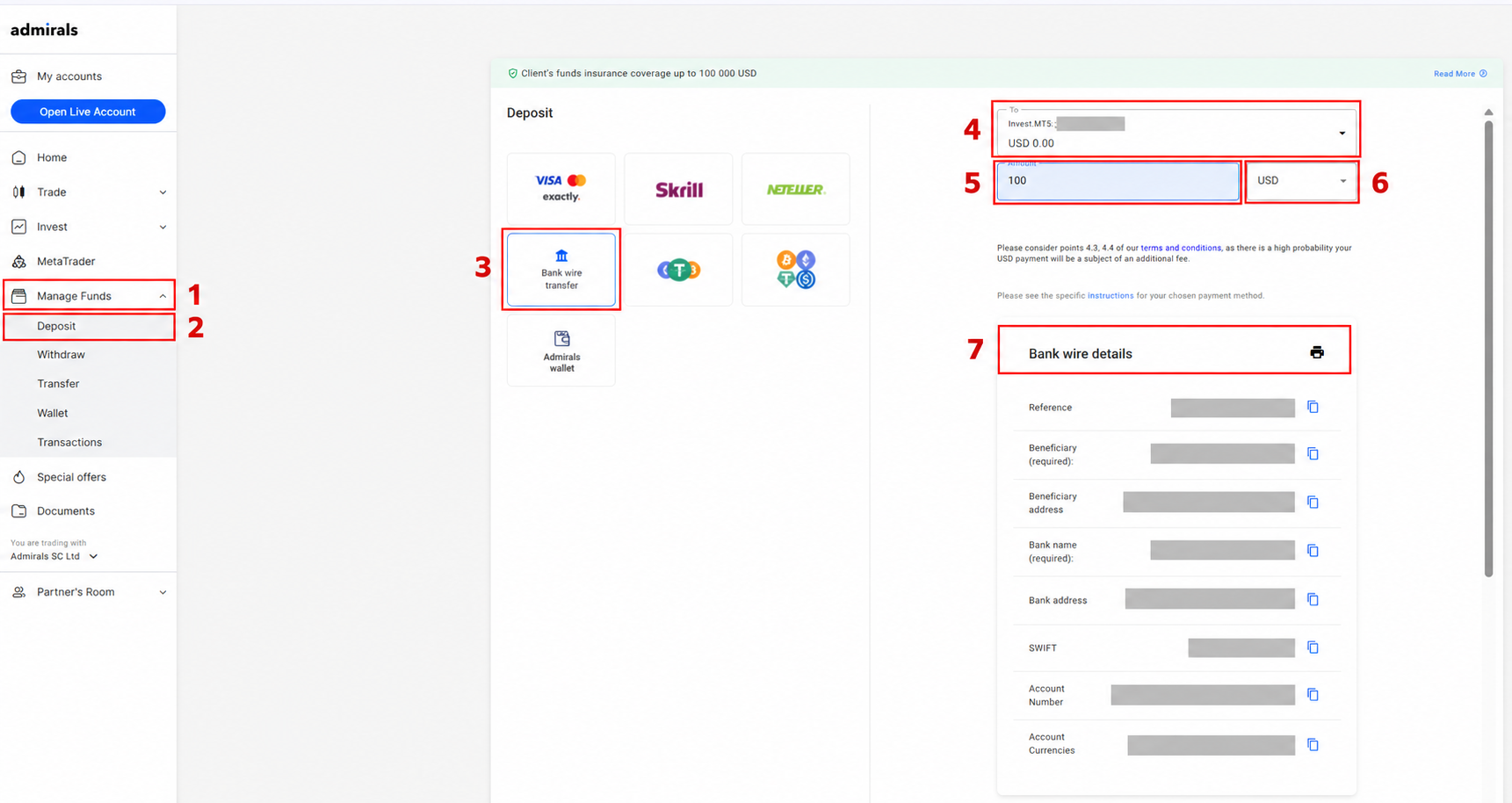
Always use the bank details shown in your Dashboard for your transfer.
How can I make a bank transfer deposit in the Admirals mobile app?
1. Tap More → Manage Funds.
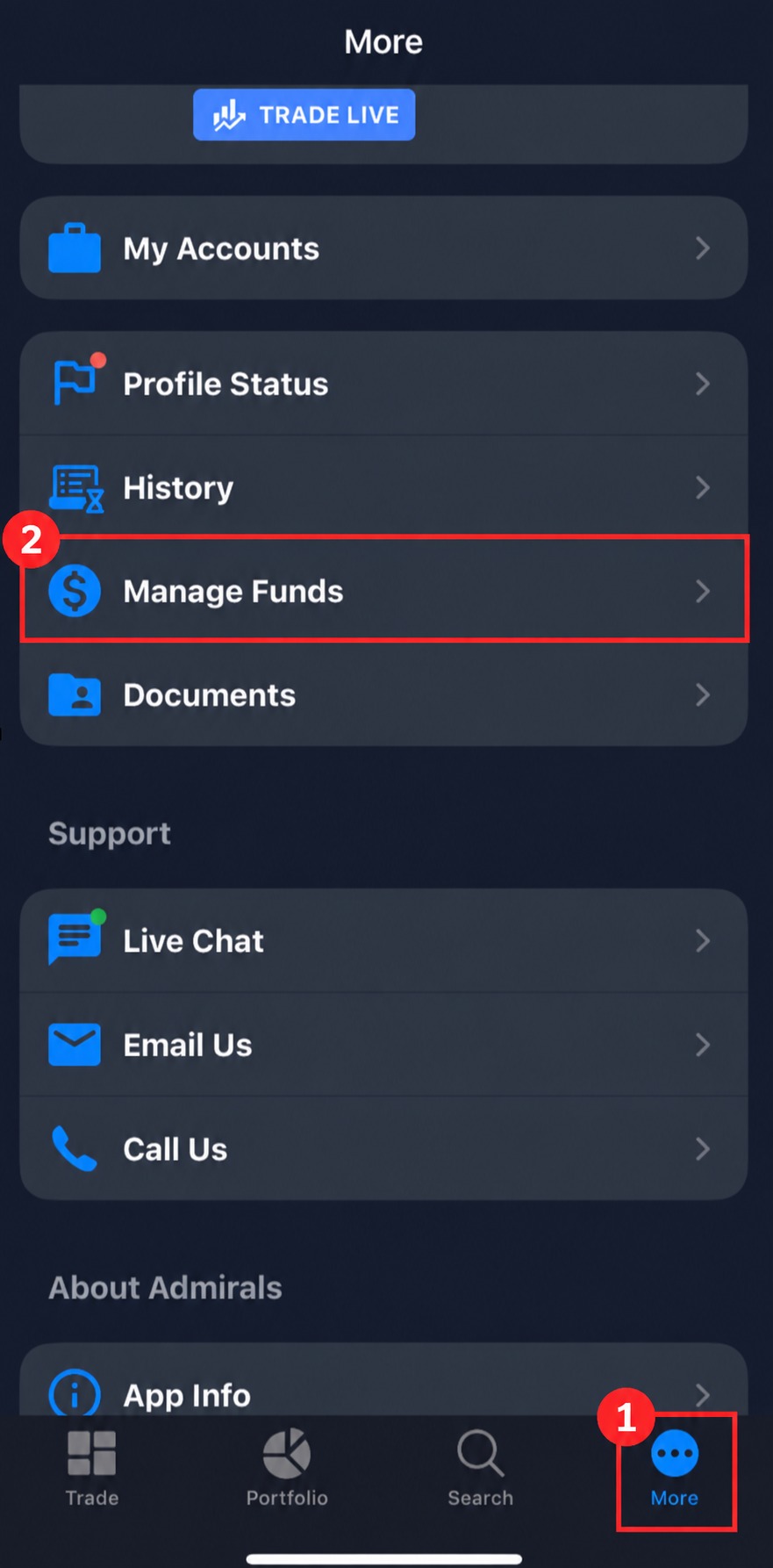
2. Select Deposit and choose the trading account or Admirals wallet you want to fund.
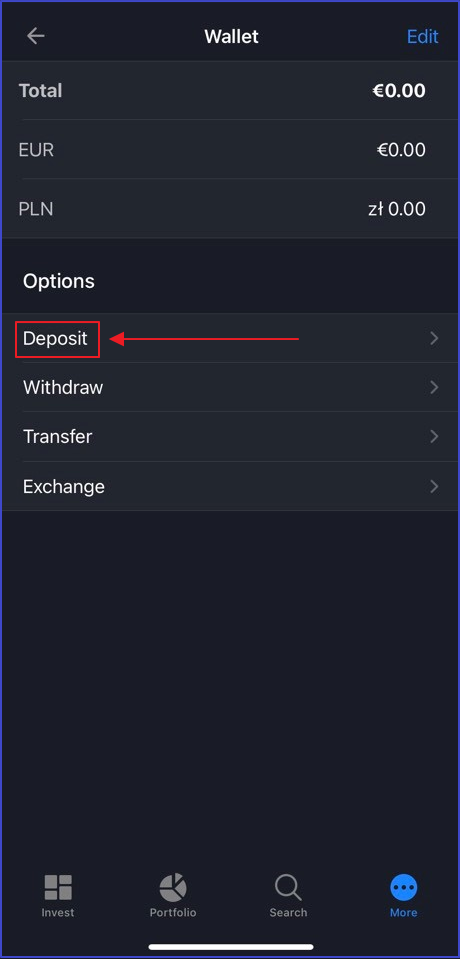
3. Select Bank wire transfer.
4. Use the displayed bank details to arrange the transfer through your bank.
For more information about payment methods, see our Deposits & Withdrawals page.
Was this article helpful?
That’s Great!
Thank you for your feedback
Sorry! We couldn't be helpful
Thank you for your feedback
Feedback sent
We appreciate your effort and will try to fix the article